$20.00
1
Your cart is empty
Subtotal
We will hold your cart for 15:00.
Buy more, save more
Coupon discount
Shipping
Add 2 more items to unlock your free mystery gift.
Complimentary item.
Total
$20.00
We will hold your cart for 15:00.
Comfier has quietly become one of the most popular massage brands in the US, and it's easy to see why. Their shiatsu seat cushions, heated back pads, and scalp massagers pack serious features into price points that don't make you wince. But if you just unboxed one, you might be staring at a tangle of straps, cables, and that tiny remote — wondering what all the buttons actually do.
This guide walks through every Comfier massager we carry at The Soft Touch, step by step. We'll show you how to set each one up, explain every mode and setting, and share a few "wait, that's how it works?" tricks we picked up during testing. By the end, you'll know exactly which unit fits your routine — and how to get the most out of the one you already own.
No matter which Comfier product you got, a little prep goes a long way.
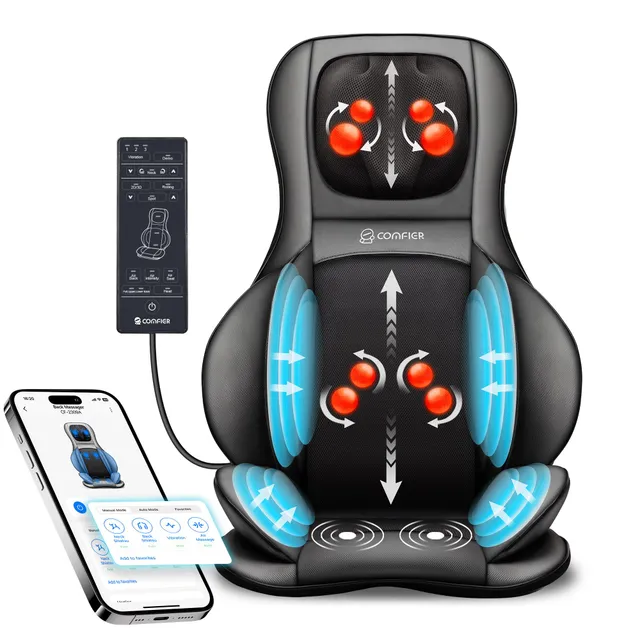
This is the flagship unit in the Comfier lineup — and the one people ask us about most. It's a full chair pad that covers your neck, shoulders, and lower back, with rollers that move in 2D (up/down and side-to-side) or 3D (with depth). Here's how to set it up and operate it.
Inside the box, you'll find the massage pad, a power adapter, a quick-start guide, and (on the latest version) a small remote. No tools needed.
Plug in the adapter. You'll see a power button on the side of the pad or on the wired remote. Press it once to turn on the massage; press it again to cycle through modes (if you're using the remote).
The 2D mode keeps the rollers close to your back, moving up and down in a classic kneading pattern. 3D mode pushes the rollers outward — it feels a bit like thumbs pressing into tight muscle. For deep-tissue work, 3D is the way to go. If you're using it while watching TV or reading, 2D tends to feel gentler.
The app is honestly the best part of this unit — it gives you exact control over roller position, speed, and heat, and lets you save custom programs.
Tip: If the app can't find the device, try turning the massager off and on again, and check that the app is updated. On iOS, you may need to allow Bluetooth permissions in Settings.
You can tighten the side straps to increase pressure, or loosen them for a lighter touch. The unit's built-in compression also adds a squeeze around your back — you can set the intensity via the app or remote if your model supports it.
Toggle heat on/off with the button or the app. The heating elements are located in the lower back area. Give it a few minutes to warm up. We recommend starting with heat off during a deep-tissue session, then turning it on when you're ready to relax.
Use this massager for 15–20 minutes at a time. It's powerful — you don't need a full hour.
This is the "no-app, no-fuss" version of the flagship. It does the same kneading motion but with an intuitive wired controller, and it's often a bit more budget-friendly. Here's how to use it.
The wired controller has a power button, direction button, spot (or node) button, heat button, and intensity selector. The exact layout varies by model, so check your manual — but the logic is the same:
When you sit down, the rollers should be right at your beltline (lower back) and just below your shoulder blades. If they're biting into your ribs, adjust the pad up or down. If it's not reaching your neck, lean forward slightly to let the top roller get to your traps.
Use for 15 minutes at a time. The heat is a nice addition for post-workout stiffness, but if you're using it during a long workday, keep it off and let the kneading be your focus.
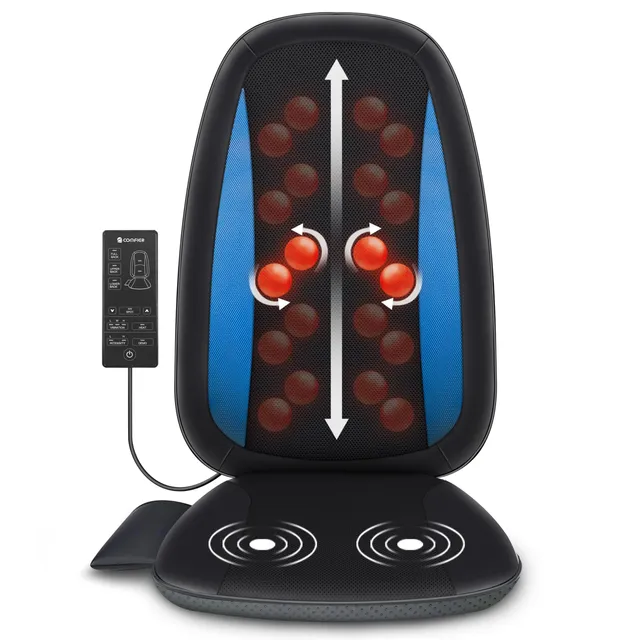
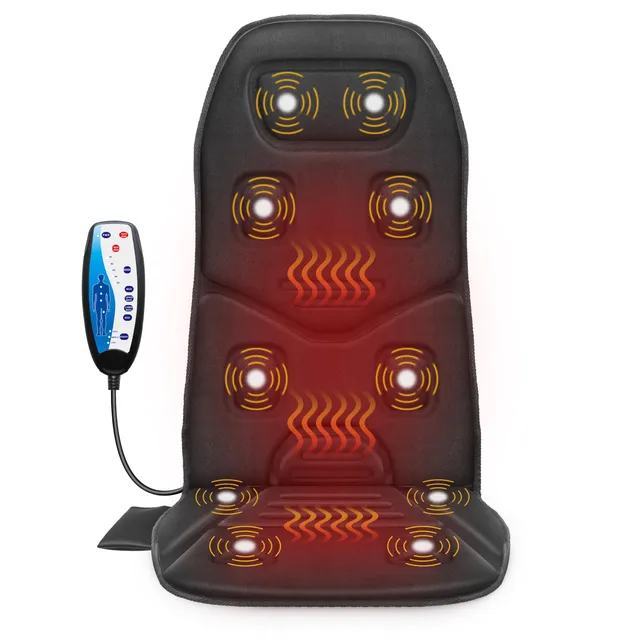
If you prefer vibration over kneading, this is the one. It doesn't roll — it uses 10 motors spread across the back and thighs to deliver a buzzing, percussive massage. It's especially good for people who are sensitive to deep pressure.
The 10 motors are grouped into zones: upper back, lower back, and thighs. Most controllers let you switch between "all on," "lower back only," or "upper back only." You can also choose a pulse or wave pattern if your model has it.
Start on a low intensity. The vibration can feel strong at first; you'll get used to it after a couple of sessions.
The heating layer uses graphene, which warms up faster and more evenly than coil heaters. Toggle heat on with the button — you'll feel it within a minute or two, even in your lumbar area.
This cushion works great under a laptop or while eating dinner, because it doesn't move your body around as much as a shiatsu pad.
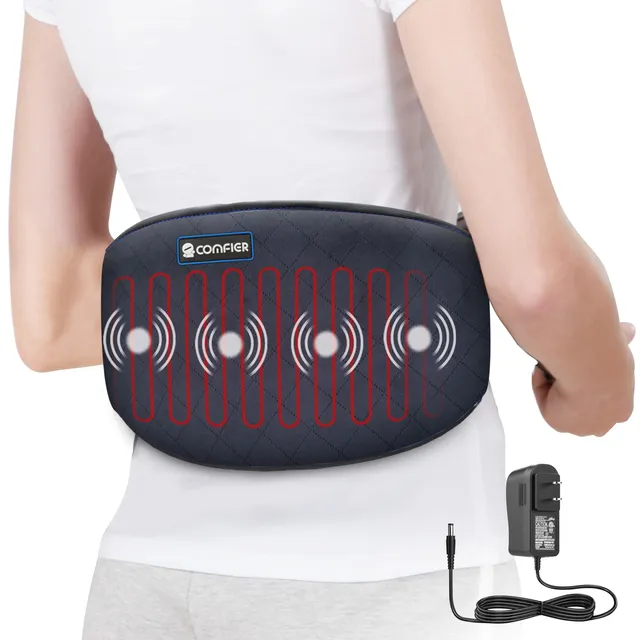
This one is less of a chair pad and more of a wearable wrap. It's designed to be strapped around your torso for targeted heat and vibration relief. It's FSA/HSA-eligible, which makes it a popular pick for at-home pain management.
You get the pad, a connector cable, and a power adapter.
The wired controller has:
The pad has an automatic shut-off safety feature built in — it'll turn off after a set time (usually around 30 minutes). That's there so you don't fall asleep on it. If you're using it while sitting at a desk, you'll probably need to turn it back on periodically.
This is a favorite for menstrual cramp relief, lower back muscle tension, and even car rides. Because it's corded, you'll need to be within arm's reach of an outlet — but the portability within the home is nice.
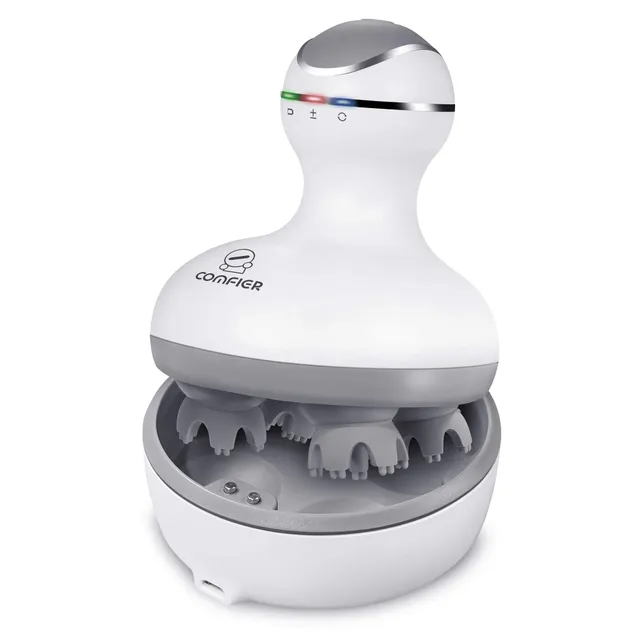
This little gadget looks like a high-tech whisk, but it's actually a scalp massager with 84 silicone nodes that mimic kneading fingertips. It's cordless, so you can use it in the shower or on the couch.
Charge it via the USB cable that comes in the box. A full charge takes about 2 hours and gives you around an hour of use (depending on the vibration speed).
Scalp massage is often recommended by dermatologists to boost circulation and help relieve tension. It feels like a head spa treatment, and many people find it helps them relax before bed. Just keep realistic expectations — massaging your scalp won't produce new hair overnight, but it's a soothing self-care habit.
The silicone nodes are waterproof, but don't submerge the entire unit. Wipe the nodes with a damp cloth after each use. If you use it in dry hair, a soft brush can remove any lint or buildup.
Here's a quick cheat sheet based on what you need:
Whichever you choose, you'll be surprised how fast a Comfier massager becomes part of your daily wind-down. Follow the setup steps above, give yourself a few minutes to dial in the settings, and enjoy the massage — you've earned it.